Roburbia Home Building Guide
Master build mode tools, furniture catalogs, roofs, and advanced placement for cozy lots and greenhouses.
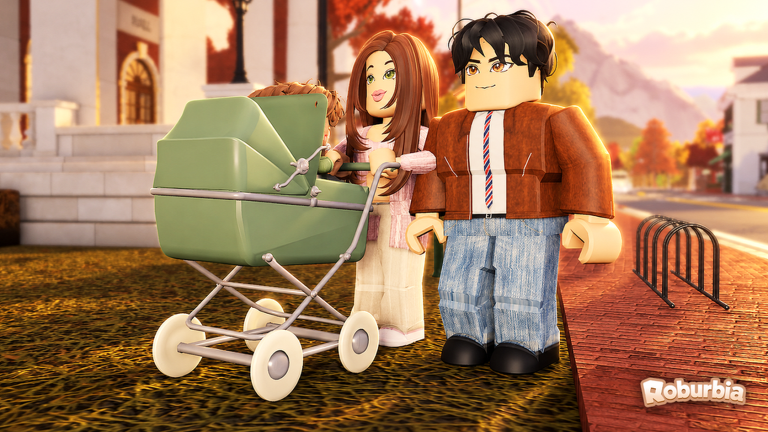
Your starter lot is the canvas for everything else in Roburbia: kitchens for Garden Update cooking, nurseries for babies, driveways for vehicles, and outdoor beds for crops. This guide explains build mode, furniture flow, roofs, copy-paste, ARCHITECT shapes, ADVANCED PLACING, DECALS, and BUILD SLOTS, then ties those tools to Gardening, Cooking, How to Get a Car, and Getting Started. Compare build-related passes on the Tier List Hub before spending Robux.
Roburbia is a free cozy life sim by Lúmen Studio on Roblox (Beta). Catalog names and pass perks can shift—confirm in-game and skim Updates after building patches.
Entering build mode
Use the house + hammer control to enter build mode on your property. From here you place walls, roofs, furniture, décor, and—at the bottom of the furniture / couch catalog—vehicles. New players often miss cars because they never scroll far enough; details are in How to Get a Car.
Before you demolish the starter shell, walk the lot once in play mode. Note sun direction for greenhouse glass, where a driveway should sit, and which room becomes the nursery if you follow the Babies Guide.
Furniture and roofs
Start with function, then style:
- Sleeping and seating so roleplay sessions have anchors.
- Kitchen pieces for recipes and home cooking after harvests.
- Storage / shelves that keep gardens and pantries readable on mobile.
- Roofs that close the silhouette without blocking yard light you need for plants.
Roofs define the house from the street. Experiment with simple pitches before complex multi-wing roofs. If a roof clip fights a wall, toggle finer controls described below instead of spamming duplicate pieces.
Fund décor with florist, market, diner, delivery, or gardening shifts from Jobs and Money. Redeem Codes before large catalog nights.
Copy-paste
Copy-paste is the speed tool for repeated windows, fence posts, bed modules, and identical interior corners. Build one correct segment, copy it, then stamp along a wall or garden edge. This keeps Garden Update bed rows aligned and makes duplex-style wings realistic without freehand drift.
Use copy-paste after you lock a measurement grid mentally—copying a bad gap multiplies the mistake across the lot.
ARCHITECT shapes
ARCHITECT tools (often tied to a paid pass—verify on the Tier List Hub) unlock broader shape control for custom shells, interesting footprints, and cleaner modern forms than stock starter walls allow. Reach for ARCHITECT when you are redesigning the entire exterior, not when you only need a couch.
Practical uses:
- Angled bay windows for kitchen light.
- Custom greenhouse adjoining walls that meet glass cleanly.
- Split-level steps between home and garden terraces.
If you do not own the pass yet, still plan footprints with free pieces so a later ARCHITECT rebuild has a clear blueprint.
ADVANCED PLACING
ADVANCED PLACING gives finer position and rotation control when default snaps fight stairs, roof eaves, or vehicle clearances. Turn it on for:
- Aligning car seats and stroller paths near doorways.
- Nesting oven and counter lines for cooking.
- Sliding glass greenhouse panels flush with beds from Gardening.
- Fixing floating or sunken décor on uneven yard edges.
Work slowly on mobile; tiny nudges are easier to undo than a full delete.
DECALS
DECALS customize surfaces—signage, posters, patterned walls, or roleplay branding for a florist home shop. Use restraint: one strong decal wall beats five competing textures that muddy screenshots. Decals are ideal for nursery letters, market chalkboard vibes, or greenhouse labels without extra geometry.
BUILD SLOTS
BUILD SLOTS expand how many large structures or saved build configurations you can maintain (confirm exact limits in the live pass UI and tier notes). Extra slots help if you like seasonal lots, a clean RP house plus a messy farm save, or testing roof styles without destroying the main home.
Prioritize slots when you already hit placement caps or keep multiple themes. New players should finish one solid starter renovation before buying slot capacity.
Layout recipes that work in Roburbia
Cozy starter refresh
Keep the footprint, replace clutter, add a real kitchen, and clear a back rectangle for two plant beds. Cheapest path after Getting Started.
Family house
Nursery near the front door for Town Hall returns, open living room for lap-carry play, driveway for car seats, and a fenced garden so toddlers (and you) do not path through corn. Pair with daycare budgeting in Jobs and Money.
Garden estate
Short house, long yard, greenhouse as the hero object, shelves along the fence, pond access unobstructed, and a bike or car parked off the bed grid. Follow crop care in Gardening.
Delivery main house
Wide driveway for the eventual ~30k truck, minimal decorative props near reverse paths, and a compact interior so you spend session time on routes instead of vacuuming clutter.
Build session checklist
- Enter house + hammer build mode.
- Set today’s goal: kitchen, roof, nursery, or greenhouse pad.
- Place structural pieces; use copy-paste for repeats.
- Enable ADVANCED PLACING only for problem snaps.
- Add furniture, then decals last.
- Scroll the catalog bottom if you are ready for a vehicle purchase.
- Exit build mode and walk the route with a stroller or car in mind.
- Water any disturbed beds before you log off.
Passes and money
ARCHITECT, ADVANCED PLACING, DECALS, and BUILD SLOTS may be free, partial, or pass-gated depending on the live shop. Always cross-check the Tier List Hub and in-game purchase modal. Coin-wise, florist bouquet loops and delivery payouts remain the practical funders; STAR EMPLOYEE (249 Robux) doubles job pay if you are grinding a full remodel and a car in the same week.
Build with intention—one finished room per session—and Roburbia homes stay cozy instead of becoming unfinished scaffolding forests.
Frequently Asked Questions
Quick answers to the most common Roburbia questions.
How do I open build mode in Roburbia?
Use the house and hammer control on your property. From build mode you place walls, roofs, furniture, décor, and vehicles at the bottom of the furniture catalog.
What are ARCHITECT tools?
ARCHITECT shapes help you create custom structural forms beyond the basic starter shell. Check the Tier List Hub and the live shop for pass requirements.
When should I use ADVANCED PLACING?
Enable it when default snaps fail—roof edges, greenhouse glass, kitchen counters, or vehicle clearances all benefit from finer nudges.
Where do vehicles appear in the build catalog?
Open the furniture or couch catalog icon and scroll to the bottom for bikes, cars, and delivery trucks. See the How to Get a Car guide for budgets.
How should I plan a lot for gardening and babies?
Leave flat bed space and greenhouse paths outdoors, keep a nursery near the entrance, and reserve a driveway for car seats and strollers before you fill the yard with décor.